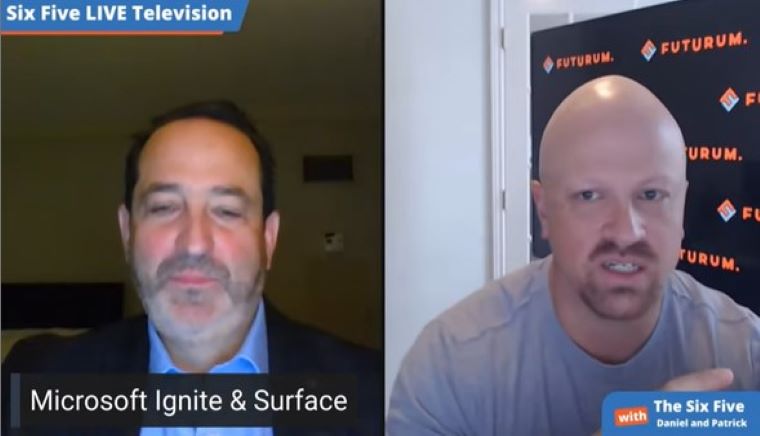
The Six Five team talks about Microsoft’s event, Ignite, and the latest updates to their Surface product.
If you are interested in watching the full episode you can check it out here.
Disclaimer: The Six Five Webcast is for information and entertainment purposes only. Over the course of this webcast, we may talk about companies that are publicly traded and we may even reference that fact and their equity share price, but please do not take anything that we say as a recommendation about what you should do with your investment dollars. We are not investment advisors and we do not ask that you treat us as such.
Transcript:
Daniel Newman: Microsoft Ignite. By golly, Pat. First of all, gosh, I look forward to doing Ignite again in-person. You talked about Google’s 160-page book of news. That was a pretty typical experience for Microsoft. The hard part, like I said, is when you don’t get to sit in the room. I do think there’s a level of absorption that is lost when we don’t get physically in front of these events. I think there’s something about being in front of these machines, multitasking.
I don’t know what it is, but when you have this much news, it’s hard. Now, Pat, there’s a ton of different ways to go. What I’m going to do, just setting this up for everybody out there. I’m not going to touch Surface. That’s your baby. There were some really important Surface announcements. I will talk about some of the other themes that I saw at Ignite that I thought were pretty important.
First of all, Microsoft like Google is really leaning hard into the data platform. They have what’s called their Intelligent Data Platform. It’s been aggressively expanding. They’ve added 12 more partners to this. They’re adding things for PostgreSQL. They’ve got more services for Kubernetes, for Azure Arc. They’ve also continued to expand their developer ecosystem.
I’m going to say that what really caught my eye tended to be more in the Power and in the Teams area. That’s where Microsoft really leaned in. They have this DALL-E invite access program too. Not going to talk about that as much, but what they talked about big time is Power Automate. Power Automate and Teams really coming in together has been the focus of the company. They’re finding more and more apps.
A high double-digit percentage of apps now that are being built on top of Teams are being done with Power. They’re being done in low code. Microsoft has been on this trend for a really long time. They’ve got AI Builder. They’ve got conversational intelligence. Basically, what happens now is you don’t need to be a developer anymore. You can build apps in Power, layer them into Teams, and then use them to connect, Pat, front to the back.
Patrick Moorhead: There we go, baby.
Daniel Newman: Efficiently. Without necessarily needing to deploy your most prolific developers to get the everyday applications in the business that you need. A couple of things done on the productivity side that I really liked was this new Places work app. There’s always been collaboration available in 365 Office. What I would say is this is an area, Pat, where if I’m being up front, I think Google has been better. I use Docs. I like the collaboration experience in Docs more than 365.
With Places, you can see where they’re trying to take this workspace. It’s your optimization of hybrid work and physical workspaces to be able to collaborate more. No matter where you are. I like the direction they’re going. I think giving 365 Office and Places and finding new ways to engage and collaborate. It’s a little bit of their Workspaces answer to what Google’s done with Workspaces.
The other thing I really did like, Pat, was the intelligent recaps. I don’t know if you saw this, but you and I attend so many meetings. I just said … Yes. You and I love recording the meetings. But then, you get the transcription and it’s still up to us to figure out what was worth capturing. Microsoft is using machine learning and AI to basically say, “We can extract layers of important data from a meeting, and then turn it into meaningful insights and information.” That to me was like, “That’s a home run.”
Now, again, I’ve got to see it work. Because I don’t know if it’s going to really capture it. Pat, imagine if they could take the 10 best nuggets of every Six Five right out of an intelligent recap. And then, all of our listeners would only have to read those 10 things instead of spending a whole hour here. Don’t do that, by the way. That’s not okay. But in general, we do spend a ton of time in meetings. A lot of it’s unproductive. How do we get the productive and important stuff surmised in a way that we can quickly and easily capture?
And then, I guess maybe the last thing was is there were some great partnerships with Cisco announced. Poly. They’re deepening the bench. To basically say … Putting Teams on Cisco always made sense to me. Cisco has got a really good hardware portfolio. I know obviously they want everyone to use Webex, but I think both companies are realizing, “Why not open it up and let the best hardware and the best software win for every enterprise environment?”
Microsoft’s always been good at that. Glad they decided to partner up. They’re of course doing some stuff with Meta to deepen the partnership. A lot of what I talk about with Starline, with Google. That next wave of 3D immersive, metaverse-based collaboration. Hybrid work is going to have us all over the world at any given time. Can we use technology to make meetings less squares on screens and more immersive? Humans interacting nearly in-person. Microsoft is pushing that envelope too. Lots of good stuff here, Pat.
Patrick Moorhead: All right. We’re 30 minutes in and we’re on the third topic.
Daniel Newman: That’s average for us. I just want to say.
Patrick Moorhead: Is it really? Okay.
Daniel Newman: We’ll speed up though on the last three.
Patrick Moorhead: Daniel, you literally hit the top three announcements that I had carved out. Power Automate is super impressive. By the way, it’s an evolution. When you think about the no-code capability, it was like using Visio, where you would drag-and-drop certain boxes that there would be certain actions. What this new capability enables is you to literally type into a CLI and have it spit out code and workflow. Really, leveraging AI and making it so that even you and I could figure this out.
Gosh. I’ve been using a no-code tool called Zapier for six years. It’s more of a drag-and-drop. You put this in. Now, you just type it in there. I’m actually very comfortable in drag-and-drop. We’re going to have to see how many people actually use the CLI and type it in there. The Teams’ tool to spit out. I use otter.ai and it’s attempting to do it. It’s not that good. It is not that good.
Did you notice too that, to get those special features, you’re going to have to pay more money? I like that from Microsoft. Let’s not give everything away for free and bundle it into E1 or E2 or E3. Let’s charge for that. You can imagine how much cycles go into that. But hey, I have to hit Surface. There was a gigantic Surface announcement that happened in New York City. Ironically, at the same time that you and I were in there. Let me hit some of the key themes here.
For Surface Pro, it’s all about upgrading to the next generation Intel and Qualcomm processors. Of course, with Qualcomm you get 5G. They’ve also pulled the line together. There was the Pro X and there was the Pro 8. Now, there’s the Pro 9 with two different processor options. I cannot wait to try out the Studio Effects on this, Daniel. Here’s the interesting part. Between Intel and Qualcomm, you can actually do more effects on Qualcomm than you can on Intel.
Why is that? Because the SQ3 from Qualcomm has this giant NPU to do machine learning. It’s kind of ironic. Hey. Forget about raw processing power when it comes to the CPU and integer. You can actually do more effects on, let’s say, Teams with Qualcomm than you can with Intel. I thought that was super interesting stuff. Highlights from Surface Laptop 5.
By the way, I’m using a Surface Laptop 3 right now. They upgraded the processor Intel. They removed AMD this time, which is interesting. I’m going to have to get underneath that. They added Thunderbolt 4. A little bit disappointed that the camera is not 1080P. It’s still 720. Typically, Apple is behind the curve on everything when it comes to cameras, but even they’ve moved to 1080P.
Another highlight for me, Daniel, iCloud photos on Windows 11. Essentially, what that means. Instead of doing what I do, which is uploading all my photos to iCloud, Google Photos and One Drive, it just goes directly. There’s an API that pulls in all of those photos. I saw some demos about a month and a half ago. It’s instantaneous. Take a picture on your iPhone, it immediately shows up in the iCloud photos.
Microsoft really improved on some elements that’s kind of been this dangling chad. I’m seeing a bigger connection between Apple and Microsoft. Dare I say that it might be thawing a little bit? Heck. Even Apple content. Apple TV is going to have a native application on Windows. Mind-blown. Check out Forbes. I’m going to have an overall article about Ignite. And then, I’m going to have an analysis on the Surface launch.
Author Information

Daniel is the CEO of The Futurum Group. Living his life at the intersection of people and technology, Daniel works with the world’s largest technology brands exploring Digital Transformation and how it is influencing the enterprise.
From the leading edge of AI to global technology policy, Daniel makes the connections between business, people and tech that are required for companies to benefit most from their technology investments. Daniel is a top 5 globally ranked industry analyst and his ideas are regularly cited or shared in television appearances by CNBC, Bloomberg, Wall Street Journal and hundreds of other sites around the world.
A 7x Best-Selling Author including his most recent book “Human/Machine.” Daniel is also a Forbes and MarketWatch (Dow Jones) contributor.
An MBA and Former Graduate Adjunct Faculty, Daniel is an Austin Texas transplant after 40 years in Chicago. His speaking takes him around the world each year as he shares his vision of the role technology will play in our future.